
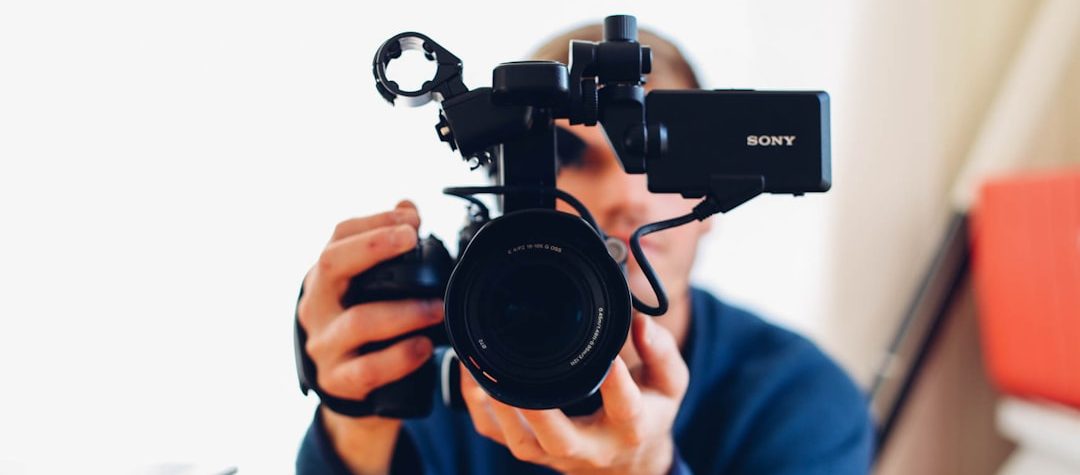
Website Video Contents in London are used to improve the leverage of a company. Infact, website Video content can help explain faster, keep visitors engaged longer, and support search visibility when it is placed and well optimised. In this guide, you will learn how to leverage video content on your website in a way that improves user experience, supports product understanding, and strengthens SEO without creating speed or accessibility problems.
The best results come from matching the video to the page intent. A product page needs clarity, a blog post may need context, and a support page may need a quick walkthrough that answers the visitor’s next question.
Key Takeaways
- Use video where it removes friction, such as product pages, landing pages, FAQs, and support content.
- Optimize every video with descriptive metadata, transcripts, captions, and a thumbnail that clearly matches the page topic.
- Keep the page fast and accessible by loading video responsibly and preserving space for the player.
- Measure success by engagement, clicks, assisted conversions, and the quality of the questions video answers.
Why does website video contents in London improve engagement on a website?
Video helps visitors understand ideas that would take much longer to explain in text. A short demo can show how a product works, while a concise explainer can clarify a service, process, or feature set in seconds.
That clarity matters because users often scan before they read. When video appears at the right moment, it can reduce hesitation, increase time on page, and help visitors move toward a purchase, sign-up, or support action with less effort.
Video also creates a stronger sense of proof. Seeing a product in use, a real customer describing results, or a team member walking through a workflow can make a site feel more trustworthy than static copy alone.
What kinds of videos should you add first?
Start with videos that answer high-intent questions. The most useful format is usually the one that removes the biggest barrier between interest and action.
Product demos
Product demos are ideal for landing pages, feature pages, and ecommerce product detail pages. They show what the item does, how it looks in real use, and why it is different from alternatives.
Keep demos short and task-focused. A visitor should quickly understand the problem being solved, the main steps, and the outcome they can expect.
Explainer videos
Explainers work well when your offer is unfamiliar, technical, or easy to misunderstand. They are especially useful for software platforms, B2B services, and new categories that require context before conversion.
Use plain language and visual examples. The goal is not to impress with production style; the goal is to make a complex idea feel simple enough to act on.
Customer testimonials
Testimonial videos add social proof to pages where trust matters. They are often effective near pricing sections, case studies, or sign-up forms because they answer the silent question, does this work for someone like me?
Choose testimonials that are specific rather than vague. Details about the problem, the implementation, and the result are more persuasive than general praise.
FAQ and support clips
Short support videos can reduce friction on help centers, onboarding pages, and post-purchase resources. A two-minute walkthrough often does more for clarity than a long article that users have to search through.
These clips can also lower repetitive support requests by answering common setup, troubleshooting, or usage questions directly on the page where the question appears.
Where should video live for the strongest UX and SEO impact?
Placement should follow intent. If a page exists to convert, place the video where it helps users decide, usually near the top of the page or just before the primary call to action. If the page exists to educate, place the video close to the section it clarifies so users can move between text and motion without losing context.
A video should support the page, not replace the page. Search engines still rely on surrounding text, headings, and structured context to understand what the page is about, and users still need enough written information to scan, compare, and revisit later.
Keep the page self-contained
Always provide a supporting transcript, a clear heading hierarchy, and a concise written summary near the video. This improves accessibility for screen readers, gives search engines more context, and helps users who prefer reading over watching.
A visible play button, a relevant thumbnail, and a stable player size also matter. If the video jumps the layout or feels hidden below the fold, fewer visitors will interact with it.
How do you make video discoverable to search engines?
Search engines need clear signals to understand what a video is about and whether it belongs in relevant results. That means using descriptive titles, accurate descriptions, a matching thumbnail, and structured data that identifies the video asset on the page.
According to Google Search Central video best practices, video pages should make it easy for Google to understand the video, its metadata, and its preview image. That guidance aligns closely with user experience, because the same details that help crawlers also help visitors know what they are about to watch.
Add structured data that matches the content
Use VideoObject markup only when the page genuinely contains a video and the metadata is accurate. Include the page URL, thumbnail URL, upload date, duration, and a concise description that reflects the actual content.
Do not stuff the page with unrelated keywords or use a generic thumbnail that misrepresents the topic. Consistency between the on-page content, the video file, and the metadata is what builds trust with both search engines and users.
Write transcripts that serve both humans and bots
Transcripts improve accessibility, but they also strengthen topical depth. They provide exact language around product features, pain points, and use cases, which helps the page capture long-tail queries and related semantic entities.
Captions are equally valuable for sound-off viewing on mobile devices. If many users watch without audio, captions can be the difference between a completed view and a skipped video.
What SEO rules should you follow when hosting and embedding video?
The technical setup affects both rankings and user experience. A slow, heavy player can damage the page even if the video itself is excellent.
If you host video on your own site, use modern compression, adaptive streaming when possible, and a content delivery network that can serve media efficiently. If you embed from a third-party platform, make sure the embed does not pull attention away from the page’s primary goal.
Protect page speed and layout stability
Reserve space for the player so the page does not shift when the video loads. That reduces layout instability and creates a smoother experience on mobile, where screen space is already limited.
Lazy-load video below the fold, but avoid hiding important content behind delayed playback controls. Users should know a video is there and should be able to start it without searching for the player.
Design for mobile first
Mobile visitors often rely on video because it reduces reading effort. Still, the player must be easy to tap, the text should remain legible, and the controls should work cleanly on smaller screens.
Shorter videos usually perform better on mobile because they respect attention limits and make it easier for users to finish what they started. Keep the opening seconds focused on the main promise, not the brand intro.
What does effective video look like on real pages?
On a product page, a 45-second demo can show how the interface works, what comes in the box, or how a feature solves a specific problem. This is stronger than a generic promotional reel because it answers a buyer’s immediate question.
On a pricing page, a brief testimonial can reinforce confidence right before conversion. On a support article, a step-by-step clip can reduce frustration by showing the fix instead of forcing users to interpret a block of instructions.
The pattern is consistent: the best video is the one that matches the page job. If a visitor is comparing options, show proof. If they are learning, show process. If they are troubleshooting, show the exact action they need to take.
How should you measure whether video is helping?
Track metrics that connect video behavior to business outcomes. Useful signals include play rate, watch completion, clicks on calls to action, form submissions, and assisted conversions on the pages where video appears.
Also watch for quality indicators. If video gets views but visitors still leave without acting, the issue may be placement, length, thumbnail choice, or a mismatch between the video topic and the page intent.
Use simple test-and-learn comparisons
Compare pages with video against similar pages without video, or test two versions of the same page with different video placements. Focus on the effect on engagement and conversion rather than on vanity metrics alone.
When possible, review search performance too. Strong video implementation can improve the usefulness of a page, which may help it earn more qualified visits over time as the page becomes more comprehensive and easier to interpret.
What is the smartest way to roll out video across your site?
Begin with one high-value page cluster, such as your top-selling product, a core service page, or a frequently visited help article. Create one purposeful video for that page, then measure how it changes user behavior before expanding to the rest of the site.
From there, build a repeatable process: match the script to the page intent, keep the video concise, add transcripts and captions, optimize the metadata, and verify that the page still loads quickly. That approach turns video from a visual add-on into a practical SEO asset that helps people understand, trust, and act.
If you want the fastest win, choose a page where visitors already have questions, then add a video that answers the main one better than text alone. That single improvement is often enough to show where video fits best in your broader content strategy.
Leave a Reply