
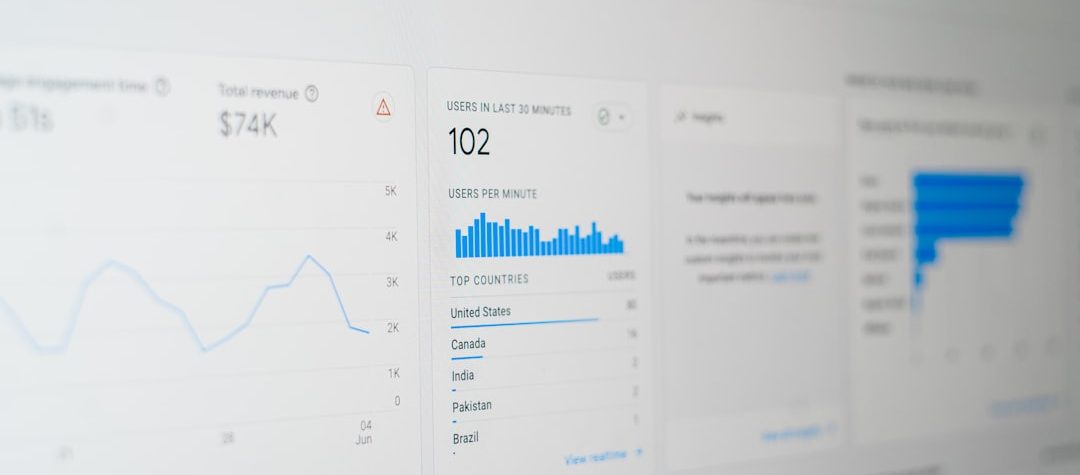
A website audit in London is the fastest way to find what is slowing rankings, traffic, and conversions. In this guide, you will learn how to conduct a website audit for maximum performance by checking SEO, speed, content, design, and usability, then turning those findings into a clear action plan. You will see what to review first, which issues matter most, and how to prioritize fixes so every change supports better search visibility and user experience.
Key Takeaways
- Audit the pages that matter most first: top landing pages, money pages, and pages with the highest search potential.
- Separate technical SEO issues from content and UX problems so you can fix the right cause, not just the symptom.
- Measure performance with both crawl data and real-user signals, especially on mobile devices.
- Prioritize changes by impact and effort, then retest after every update to confirm the improvement.
Which data sources should you trust in an audit?
Start with a small set of reliable sources instead of trying to inspect everything at once. Search analytics show how people find the site, web analytics show what they do after landing, and crawl data shows how search engines can access the pages. When these sources disagree, that gap often reveals the real problem.
Use field data and lab data together. Field data reflects real user conditions, which makes it valuable for performance and user experience checks, while lab data helps you isolate technical problems in a controlled test. For a meaningful audit, compare what users experience, what search engines see, and what your templates actually output.
What should you check first in a website audit?
Start with business goals, not tools. A useful audit begins by identifying the pages that drive leads, sales, subscriptions, or qualified traffic, because those pages reveal the biggest opportunities and risks. If a site has thousands of URLs, do not inspect everything equally; focus on the pages that already attract search demand or sit closest to conversion.
Next, capture a baseline. Record organic clicks, impressions, top landing pages, index coverage, engagement metrics, conversion rates, and key speed measurements so you can compare results after fixes. Without a baseline, it is difficult to tell whether a change improved performance or simply moved one problem somewhere else.
Define the site’s main job
Every website has a primary purpose, even if it serves multiple audiences. An ecommerce site needs product discovery and checkout flow; a SaaS site needs demo requests and trial starts; a publisher needs search visibility and return visits. The audit should measure how well the site supports that purpose on desktop and mobile.
Map the user journey
Review how a visitor moves from search result to landing page to next step. Look for dead ends, unclear calls to action, and pages that answer questions but do not guide the next click. A strong audit tracks the complete path, not just isolated page scores.
How do you audit SEO without missing technical issues?
Technical SEO is the foundation of discoverability. If search engines cannot crawl, render, index, or understand your pages, content quality will not fully matter. Check the site architecture, URL consistency, internal linking, redirects, canonicals, XML sitemaps, robots directives, and status codes before spending time on cosmetic tweaks.
Indexing problems often hide in plain sight. A page can receive traffic one month and disappear the next because of a noindex tag, a broken canonical signal, or a redirect that points to the wrong destination. During the audit, review template-level issues, because one flawed pattern can affect hundreds of URLs at once.
Check indexability and crawl paths
Confirm that important pages are indexable and that low-value pages are not wasting crawl capacity. Review noindex tags, robots.txt rules, canonical tags, redirect chains, and orphan pages. A page can look perfect to a human and still be invisible to search if one of these signals is wrong.
Review on-page signals
After technical access is confirmed, inspect title tags, meta descriptions, heading structure, image alt text, and structured data. These elements help search engines interpret page purpose and help users decide whether the result deserves a click. Consistent, descriptive templates are especially important on large sites where manual optimization is impossible.
Look for duplication and cannibalization
Duplicate content is not always a penalty issue, but it often creates weak ranking signals. If multiple pages target the same intent, they can split relevance, backlinks, and clicks. Consolidate overlapping pages when possible, or rewrite them so each URL serves a distinct query and stage of the journey.
Internal linking is part of technical SEO as much as it is part of content strategy. A clean linking structure helps search engines understand which pages are most important and helps users move naturally through the site. If key pages only receive internal links from obscure or outdated sections, they may be harder to crawl and harder to convert.
How can you measure speed and Core Web Vitals?
Speed affects both perception and behavior. Slow pages raise abandonment risk, reduce conversion confidence, and make the site feel less trustworthy even when the design is strong. In practice, performance audits should combine lab data from testing tools with field data from real users so you can see what people actually experience.
For current definitions and measurement guidance, Google’s Core Web Vitals guidance is a reliable reference. Focus on Largest Contentful Paint, Interaction to Next Paint, and Cumulative Layout Shift, then trace each metric back to its likely cause: heavy images, blocking scripts, unstable layout, or slow server response.
What usually slows pages down?
Large media files, too much JavaScript, render-blocking CSS, unoptimized fonts, and third-party scripts are common bottlenecks. On content-heavy sites, the real problem is often not one big issue but many small ones that add up. Test the homepage, top landing pages, and the worst-performing templates separately, because a site-wide audit can hide template-specific problems.
Which fixes usually deliver the fastest gains?
Compress images, serve them in modern formats where appropriate, and lazy-load assets below the fold. Remove unused scripts, defer nonessential code, and reduce the number of third-party tags that slow rendering. Improve server response, enable caching, and review CDN configuration if the site serves users across multiple regions.
Why mobile needs special attention
Mobile users often experience slower networks, smaller screens, and less forgiving interactions. That means a page can feel acceptable on a fast desktop connection but still fail for the majority of visitors. Use mobile as the default benchmark, not the backup test.
Performance audits are also easier to act on when you connect each issue to a specific template or URL pattern. Instead of saying the site is slow, identify whether product pages, category pages, blog posts, or checkout steps are driving the problem. That precision makes fixes faster to ship and easier to validate.
Does your design help users move toward the goal?
A website can rank and still underperform if the interface creates friction. Design in an audit is not about visual taste; it is about whether the layout, navigation, and page hierarchy help users understand where they are and what to do next. If key pages force visitors to think too hard, they will often leave before converting.
Look at design through the lens of decision-making. The page should reduce uncertainty with clear headlines, visible next steps, readable typography, and obvious signals of trust. When the interface is cluttered or inconsistent, even strong content can lose its impact.
Check clarity above the fold
The top of the page should communicate purpose fast. Visitors should understand the offer, the audience, and the next step without hunting for context. If the headline is vague or the call to action is buried, the page may be attracting traffic that never turns into engagement.
Review navigation and information architecture
Simple menus, clean category structures, and predictable internal links make it easier for people and search engines to move through the site. During the audit, look for overstuffed navigation, duplicate labels, and pages that are hard to reach from the main paths. A flattened but logical structure often improves both usability and crawl efficiency.
Audit accessibility and trust signals
Contrast, font size, button states, form labels, and keyboard access all affect usability. So do trust cues such as reviews, certifications, transparent pricing, contact options, and clear policies. A polished design that ignores accessibility or credibility can still fail users at the most important moment.
Forms deserve special attention because they often sit at the end of the journey. If a form asks for too much information, hides errors, or lacks clear instructions, the rest of the site work can be undone in seconds. Audit the friction points that appear right before conversion, not just the pages that look impressive in a screenshot.
Is your content still matching search intent?
Content audits should start with intent, because search performance depends on how well a page satisfies the query behind it. A page can be well written and still miss the mark if the searcher wanted a comparison, a guide, a product page, or a local service result. Review the current SERP before editing, then compare what ranks with what your page actually provides.
Content quality is more than readability. The best pages answer the real question quickly, then add enough depth to support the decision the visitor is trying to make. If the content is too broad, too shallow, or too promotional, it will usually struggle against pages that are more specific and more useful.
Match format to intent
If the top results are step-by-step guides, a product landing page is unlikely to satisfy the same query. If search results show comparisons and reviews, a thin brochure page will struggle. The audit should verify that page type, depth, and structure align with the dominant intent pattern.
Update, merge, or remove weak pages
Not every page deserves a refresh. Thin pages, outdated articles, and duplicate resources can dilute site quality signals and waste internal link equity. Update pages with real search potential, merge overlapping topics, and remove content that no longer serves users or business goals.
Add proof, specificity, and internal links
Helpful content is concrete. It uses examples, clear terminology, and internal links that guide readers to the next logical step. Where appropriate, strengthen pages with case details, author context, product screenshots, process explanations, or supporting media that makes the advice easier to trust and apply.
Freshness matters only when it improves usefulness. Do not rewrite a page just to change dates or add unnecessary text. Instead, audit whether the information is still accurate, whether the examples still reflect current practices, and whether the page still answers the query better than the competing results.
What do real audit examples reveal about priorities?
In practice, the highest-value fixes are often not the most visible ones. A site with elegant design can still lose traffic because category pages are duplicate-heavy, product pages load slowly, or key content is buried behind weak internal linking. By contrast, a site with average visuals can outperform competitors when its templates are fast, focused, and easy to navigate.
For example, an ecommerce audit may show that product detail pages load too many scripts, category pages target overlapping keywords, and checkout calls to action are inconsistent. In that case, the smartest order is usually to fix performance and indexing issues first, then tighten templates and content. That sequence protects the largest traffic and revenue opportunities before improving secondary pages.
This is why experts treat audits as a decision-making process, not a checklist dump. The best findings answer three questions: what is broken, how much does it matter, and what should happen first?
How do you turn findings into an action plan?
A good audit produces a ranked backlog, not a vague report. Sort issues by impact and effort, then assign an owner, a due date, and a validation method for each fix. If a task does not clearly improve rankings, usability, speed, or conversions, it should not outrank issues that do.
The simplest way to keep momentum is to group fixes by template and by business value. That lets developers, content editors, and marketers work on the parts of the site that will move the numbers fastest. It also reduces the risk of random optimization work that never reaches production or never gets measured.
Use a simple priority model
Place crawlability blockers, broken templates, and major speed problems at the top. Next, handle pages with strong traffic potential but weak content alignment, poor internal linking, or confusing conversion paths. Lower-priority items can include minor copy edits, design refinements, and optional enhancements that do not affect core behavior.
Test after each change
After implementation, retest the affected pages with the same metrics you used in the baseline. Check indexing status, template performance, engagement metrics, and conversion behavior so you know whether the fix worked. This feedback loop turns the audit from a one-time project into an ongoing optimization system.
The most effective next step is to audit your top five landing pages today, document every issue in one place, and fix the highest-impact blocker before moving on. Once the most important pages are faster, clearer, and easier to crawl, the rest of the site becomes much easier to improve.
Leave a Reply