
Choosing the right content management system is less about brand names and more about fit. This guide compares WordPress, Joomla, and Drupal so you can see which platform matches your team, content model, and SEO goals. You will learn where each CMS is easiest to use, where it offers the most flexibility, and which one gives you the best control over technical SEO, performance, and publishing workflow.
Key Takeaways
- WordPress is usually the fastest path to launch, publish, and optimize for search.
- Joomla is a practical middle ground when you need structure, multilingual support, and moderate flexibility.
- Drupal is the strongest choice for complex sites with advanced content governance, permissions, and custom architecture.
What should you optimize for before comparing Content Management Systems platforms?
Start with the real job your website has to do. If your team needs to publish quickly with minimal training, ease of use should carry more weight than deep customization. If your site needs content approvals, custom fields, multilingual publishing, or complex access rules, flexibility and governance matter more than simplicity.
Budget also affects the right choice. A platform that looks inexpensive at launch can become costly if it needs heavy plugin management, custom development, or ongoing maintenance. The best CMS is the one that supports your workflow without creating a constant technical burden.
SEO belongs in the decision, but it should not be treated as a separate checklist. Good search performance depends on clean URLs, fast pages, usable navigation, and a CMS that makes metadata and structured content easy to manage.
How does WordPress compare for ease of use and SEO?
Why teams adopt WordPress quickly
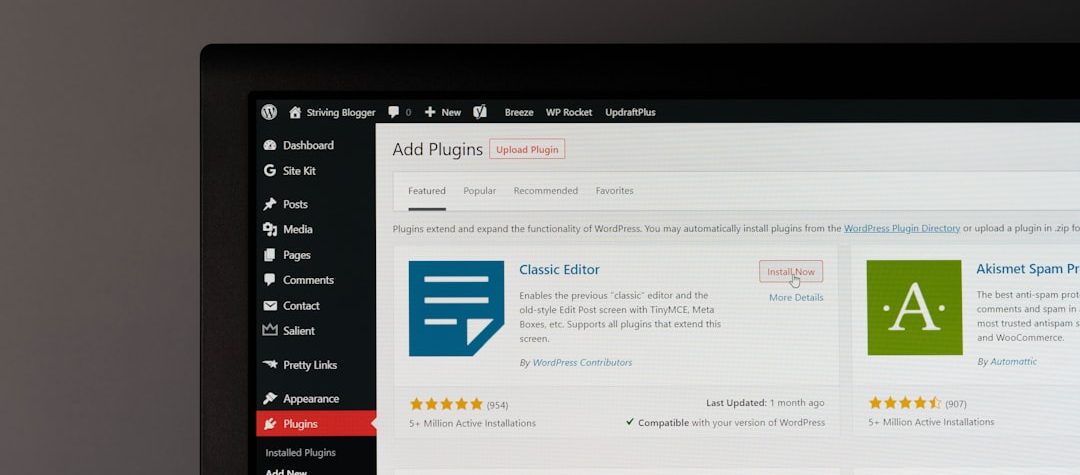
WordPress remains the most approachable option for many websites because the block editor, themes, and plugin ecosystem make publishing accessible to nontechnical teams. Writers and marketers can create pages, update posts, and manage media with very little onboarding.
That ease of use matters for search visibility because consistent publishing is easier to sustain when the workflow feels simple. For blogs, service businesses, and content-led brands, WordPress reduces the friction between an idea and a live page.
WordPress also benefits from a large support community. Training materials, tutorials, and prebuilt integrations are easy to find, which lowers the learning curve for new editors and makes it easier to hand off site management over time.
Where WordPress SEO control is strongest
WordPress offers strong SEO foundations through mature plugins and a flexible theme ecosystem. It is straightforward to manage metadata, XML sitemaps, canonical tags, schema markup, image alt text, and internal linking without rebuilding the site structure.
For many organizations, that combination is enough to support solid technical SEO. You can control page titles, create search-friendly permalinks, and publish landing pages quickly while still keeping an eye on crawlability and indexation.
The tradeoff is discipline. Because WordPress can do so much through third-party tools, site quality depends on plugin selection, theme performance, and update management. Too many overlapping plugins can slow the site down or create conflicts that affect rankings and user experience.
If you choose WordPress, keep the stack lean. Use a lightweight theme, limit plugin overlap, compress images, and maintain regular updates so SEO gains are not lost to slow performance or technical debt.
When does Joomla make sense for a website?
What Joomla does well
Joomla sits between WordPress and Drupal in complexity. It offers more built-in structure than WordPress and more approachability than Drupal, which can make it useful for sites that need organized categories, access control, and multilingual support without a fully custom build.
That balance can work well for associations, community portals, regional sites, and organizations that publish in more than one language. Joomla gives teams enough control to organize content carefully while keeping the interface manageable for editors who do not want a developer-heavy system.
Once configured well, Joomla can support a clean publishing environment. Its structure helps teams separate audiences, manage content by section, and maintain a site that is more organized than a basic brochure build.
What to watch before choosing Joomla
Joomla can support SEO-friendly URLs, metadata, and language management, but the ecosystem is smaller than WordPress and the editorial experience can feel less intuitive for first-time users. If your team depends on a wide range of third-party plugins or marketing integrations, WordPress usually has the advantage.
Joomla is often the right choice when governance matters more than ease of onboarding, but the site does not require Drupal-level complexity. It works best for teams that value structure and are comfortable with a slightly steeper learning curve in exchange for better built-in organization.
If your website needs frequent content changes across multiple languages, Joomla can reduce friction by keeping those workflows in one place. The platform is most effective when the team is willing to learn its structure and maintain a consistent publishing process.
Why choose Drupal for complex or content-heavy sites?
How Drupal handles structure and scale
Drupal is built for organizations that treat content as a system. Custom content types, fields, taxonomy, workflows, and permissions give teams precise control over how information is created, reviewed, and published. That structure is especially useful when one website must serve multiple audiences or support a large information architecture.
Universities, public institutions, enterprises, and large publishers often choose Drupal because it can handle detailed editorial governance. Revision history, user roles, and workflow steps make it easier to control who can create, approve, and publish content across a large team.
Drupal also supports long-term scalability. Instead of forcing every page into the same template, it lets teams define reusable content models that keep the site organized as it grows.
What Drupal offers for SEO
Drupal can be excellent for technical SEO because it supports clean URLs, structured content, reusable templates, and precise control over site architecture. When a content team needs consistent templates for articles, landing pages, and resource libraries, Drupal can help enforce SEO standards across a large site.
It is also a strong fit for sites that need advanced access control or content review workflows. That matters for SEO because content quality, internal consistency, and template discipline are easier to maintain when publishing is governed by a clear system.
The tradeoff is implementation effort. Drupal usually requires more planning, more technical expertise, and more ongoing maintenance than WordPress or Joomla. If your team lacks the technical support to manage configuration well, the platform’s strengths can be harder to realize.
Drupal is often the right answer when content operations are central to the business and the website must support future growth without a rebuild.
Which CMS gives you the strongest SEO capabilities?
All three platforms can rank well when configured correctly, but they make SEO work feel different. WordPress is the fastest to optimize for most teams, Joomla offers solid built-in controls with moderate complexity, and Drupal gives the deepest structural control for advanced content architecture.
The real SEO advantage is not a hidden ranking feature. It is how easily the CMS helps you publish crawlable pages, manage internal links, control metadata, and keep the site fast. Those basics matter more than any single plugin or module because they affect how search engines and users experience the site.
Search teams also need practical control over redirects, breadcrumb structure, indexation settings, and performance tuning. A CMS that exposes these controls cleanly saves time and reduces the chance that technical issues block content from ranking.
Regardless of platform, the fundamentals still apply: useful content, clear page structure, and accessible pages. Google’s own SEO Starter Guide reinforces those basics, which is why a CMS that makes them easy to implement is usually the better long-term choice.
What do real-world website examples suggest?
A small business or solo creator usually needs speed, not an enterprise architecture. In that case, WordPress is often the most efficient choice because one person can launch pages, write articles, and manage local SEO without a steep technical ramp.
A product catalog, knowledge base, or department-heavy organization needs more control over content types and permissions. Drupal is often the stronger fit because it handles structured data, role-based publishing, and reusable templates without forcing every page into the same mold.
A regional association or multilingual community site can benefit from Joomla because it balances organization and usability. It gives editors enough structure to manage sections and languages without demanding the level of planning that a Drupal build usually requires.
These examples show that the best CMS is not universal. The right choice depends on who publishes content, how often the site changes, how many approvals are required, and how much technical support you can realistically maintain.
For teams that publish frequently, the most valuable platform is the one that keeps content velocity high while preserving quality. For teams that manage complex information, the best platform is the one that protects structure, governance, and search visibility over time.
How should you decide on the right CMS in 2026?
Use a simple decision framework. If you want the lowest learning curve, the broadest plugin ecosystem, and quick SEO setup, choose WordPress. If you need stronger built-in organization and multilingual support with moderate complexity, consider Joomla.
If your website has multiple content types, strict permissions, or long-term governance requirements, Drupal is usually the stronger foundation. It becomes most valuable when content operations are central to the business and the site must support future growth without a rebuild.
Before you commit, list the pages you need, the number of editors who will publish, the integrations you rely on, and the SEO tasks you want to control in-house. Then test those requirements against each CMS in a small pilot build so you can see where the real friction appears.
If you are still undecided, choose the platform that makes your most common tasks feel easiest today and still gives you room to grow tomorrow. That usually leads to the best balance of usability, flexibility, and SEO performance.
Leave a Reply